Enapter MCP
What is Enapter MCP?
Enapter MCP lets AI agents securely access data stored in Enapter Energy Management System: local Gateway 3.0 or Enapter Cloud 3. Access to real energy data helps AI agents provide more insightful answers, compare data find anomalies and generate reports.
MCP (Model Context Protocol) is a standard that allows AI tools to connect with third-party platforms in a secure, consistent way. Here is an example of what you can achieve with MCP integration:
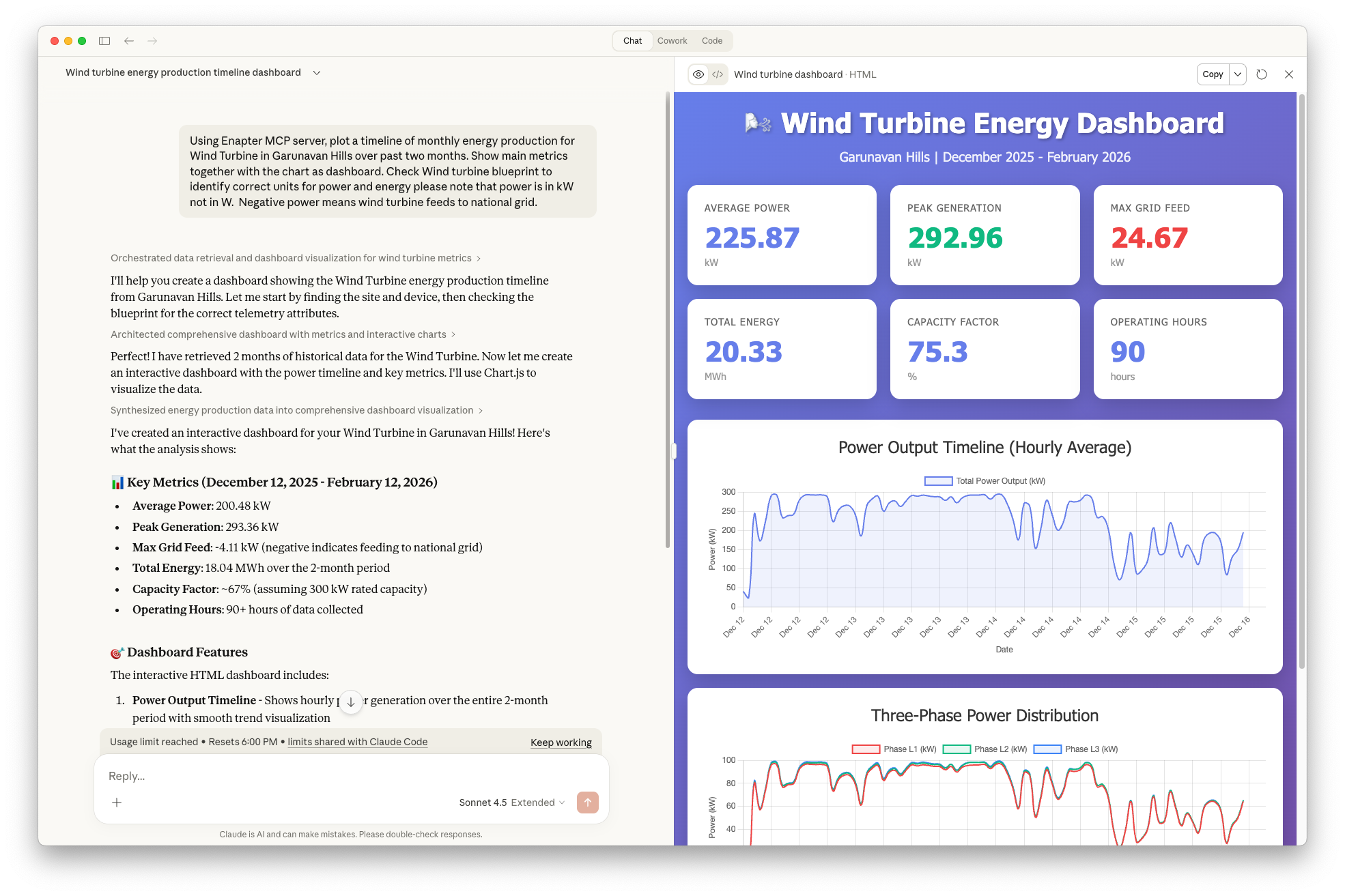
How to use Enapter MCP
Enapter provides two ways of using MCP server:
- Remote MCP Server is the recommended way. Enapter Cloud 3 has an integrated MCP server that allows users with an active subscription to connect their Energy Management Data in Enapter Cloud to supported AI Agents and Tools. As soon as the MCP server is connected, your setup is available across all devices connected to your personal or business account.
- Local MCP Server is recommended for air-gapped and data-security-oriented sites. Everyone can download, install and run the MCP server locally on any computer including Enapter Gateway, thanks to
dockerenvironment. Local MCP server guide on Github
Remote MCP Connection Settings
Enapter MCP Server address: https://mcp.enapter.com/mcp
Follow the setup guide for your AI agent:
MCP Limits and usage
The MCP Server is included with all paid plans. While there is no hard cap on the total volume of accessible data, responses are paginated to ensure the dataset fits within the AI agent's context window.
Each subscription comes with a limit on MCP Server requests. It is possible to increase the number of requests by choosing the right plan.
Terms of use
In addition to general terms of use, it is required to follow these rules:
- Enapter MCP server can be used only with compatible AI Agents such as ChatGPT, Claude, Copilot, etc for interactive AI workflows.
- It is not allowed to proxy, embed into scripts, or bridge the MCP server for automated workflows.